


Cyberpunk Subway Station is my current 3D Tech Art project. I’m building most of the PCG tools in Houdini and setting everything up in Unreal Engine 5. I’m also using Substance Designer and Painter for some of the materials. I’ll keep updating this page as I go until it’s finished!
Modular Wall/Ground Placement Tool & Vertex Painting
Place 1×1 and 1×4 modular wall pieces in different sizes with curve in UE5!

Easy to drag and place, automatically calculates the required number of wall modules - saving time right now!
The tool automatically calculates how many of each module to place based on the curve length.

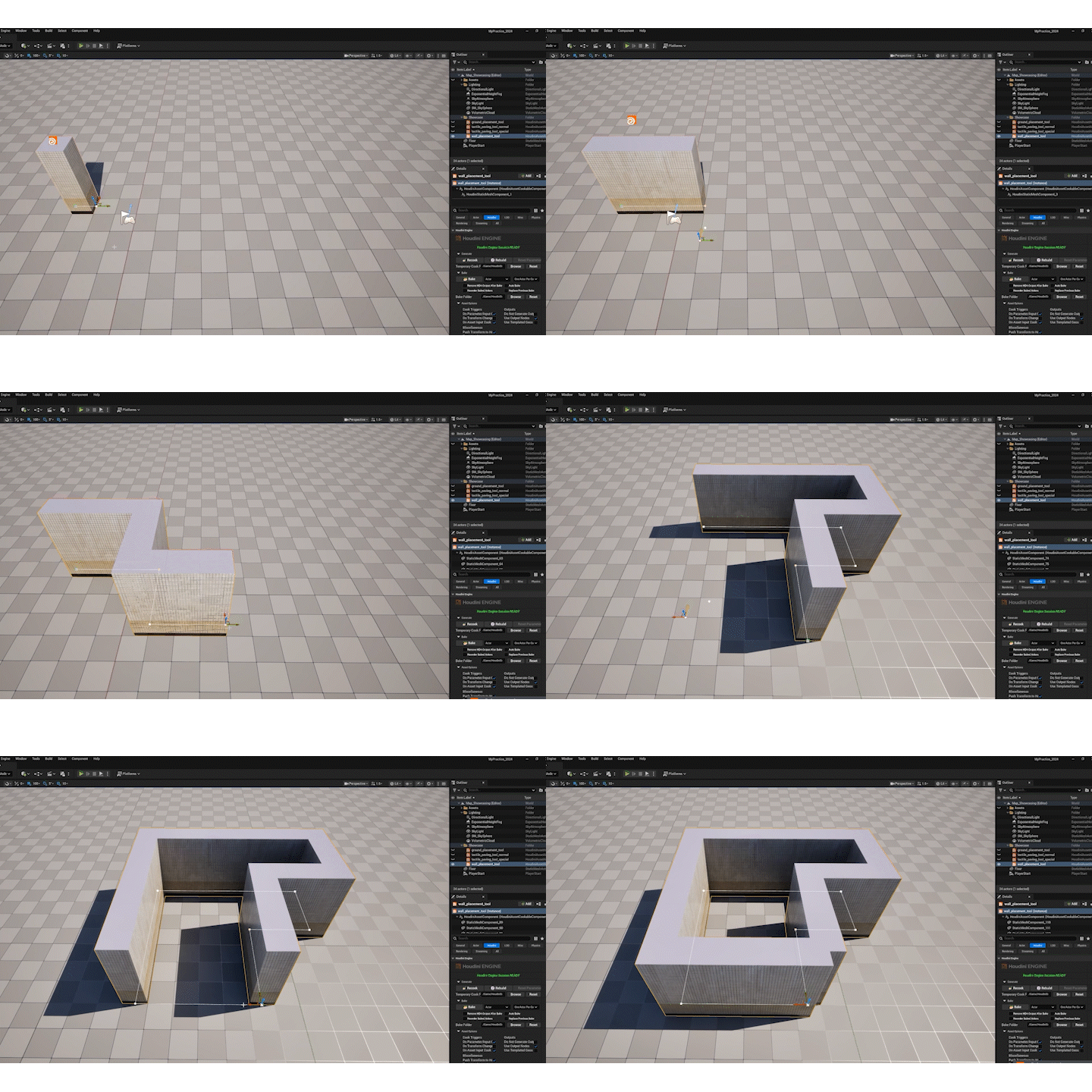
Easy to replace, edit, and delete - maintains detailed visuals while keeping computation

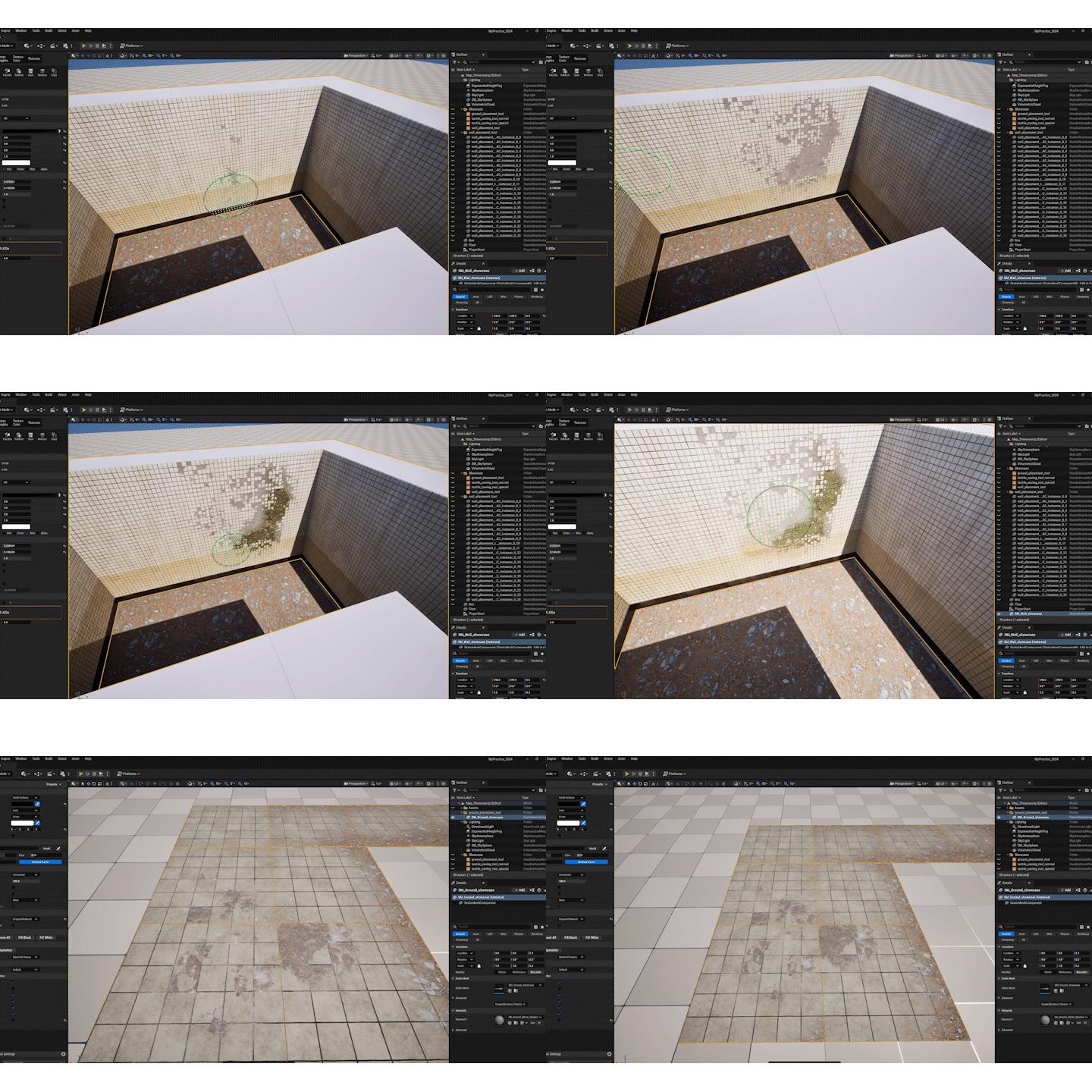
In-Scene Preview
.png)
Industrial Railing Stairs for Subway Station
Quickly set up a complete staircase with steps and landings using a single curve!
Automatically Sets Steps and Distinguishes Between Steps and Landings

-
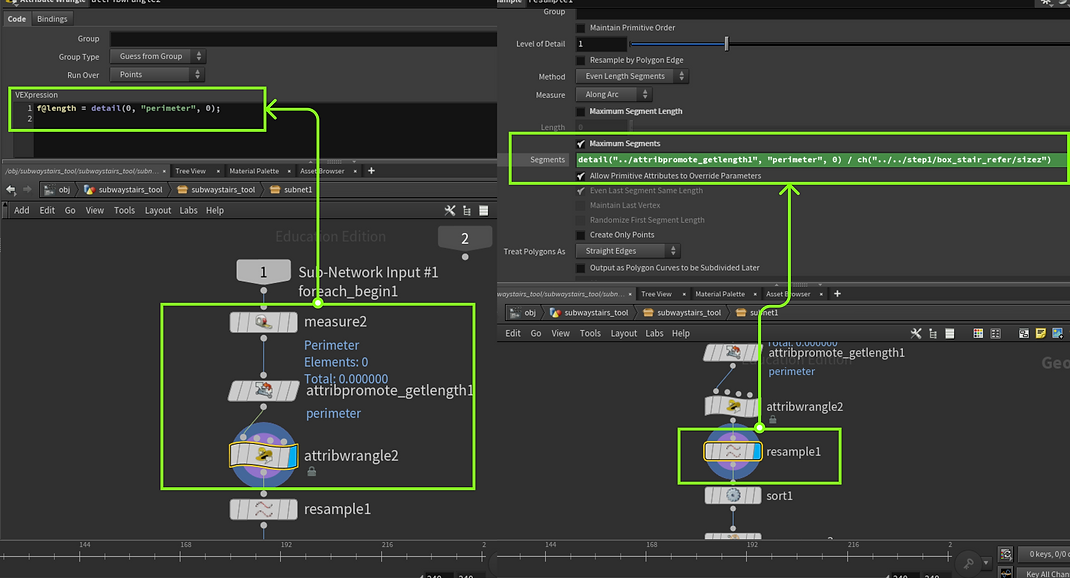
Measure Slope Length
-
Use Measure to get the length of each curve segment.
-
Use Attribute Promote to change the data from primitive to detail.
-
In Attribute Wrangle, use VEX to calculate precise values.
-
Set Step Count
-
In Resample, divide each segment's length by the step width to get the number of steps needed.
Avoids Texture Scratching and Distortion


Stacking Simulation: Electrical Box Generator & Stacking Tool
Tools in that pack use real-time data transfer between Houdini and UE5, whick converting point data from Houdini into Unreal Instance for placement and control.
Stacking idea was significantly inspired by Thomas Tobin’s Stacking Tool tutorial, it’s magical how the UV Layout node can be used to randomly place objects in a controlled way!
I built a new layer stacking simulation based on Thomas's way and further expanded it into a new tool for generating randomized electrical box clusters.
Data Transfer: assets stay in Unreal while simulations run in Houdini, avoid heavy computation and potential crashes
.png)
.png)
.png)
.png)
Simulation in Houdini
Sync in Unreal
With points Houdini creates and Unreal Instances provide in Data Table, static meshes in Unreal automatically get copied.
.png)
.png)
.png)
.png)
Current Tool Display!

.png)
Linear Tool Pack! Curves Creat Everything
Waiting Seat & Ceiling Lights Modeling Tool
Auto-calculates asset count via bounding boxes


Pipe & Airduct Tool
These two tools have similar core logic - taking an input curve and generating geometry using Sweep node. The Carve node slices the curve into primitives, and Group by Range selects alternating segments to differentiate elbows from normal pipes.
Elbows: Fixing Sweep Discontinuity


To resolve disconnected geometry in Sweep, use Fuse and Polypath nodes:
-
Fuse: Merges nearby points, ensuring topological continuity.
-
Polypath: Combines segmented curves into a single continuous path, ensuring the Sweep node receives a single primitive. If the input curve has irregular point order or breaks in topology, Polypath automatically reconstructs a proper curve structure.
Freely Moving Decor Geo Along Curve


Using the valve in pipe_tool as an example: drag the First U to adjust the position of valve!
-
Carve allows points to move freely along the input curve.
-
Polyframe ensures correct normal orientation.