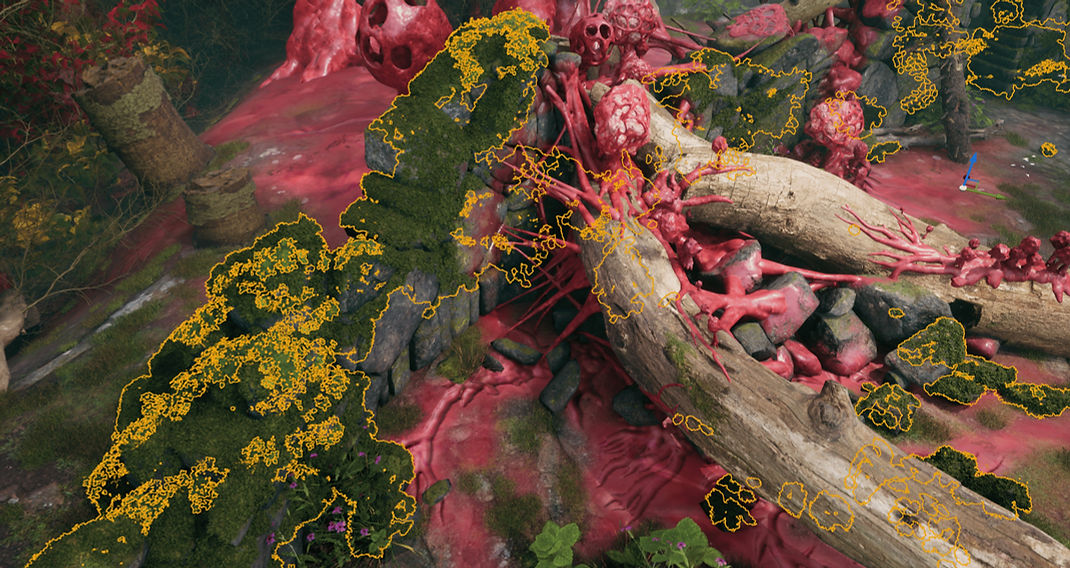
Crimson Overgrowth is a 2-week personal project focused on improving my Houdini modeling workflow and UE5.7 PCG skills.
Welcome to a forgotten forest ruin invaded by alien fleshy spores! The spores, roots, and infected castle walls were built in Houdini, while the surrounding vegetation was procedurally scattered and generated using Unreal Engine 5.7 PCG.
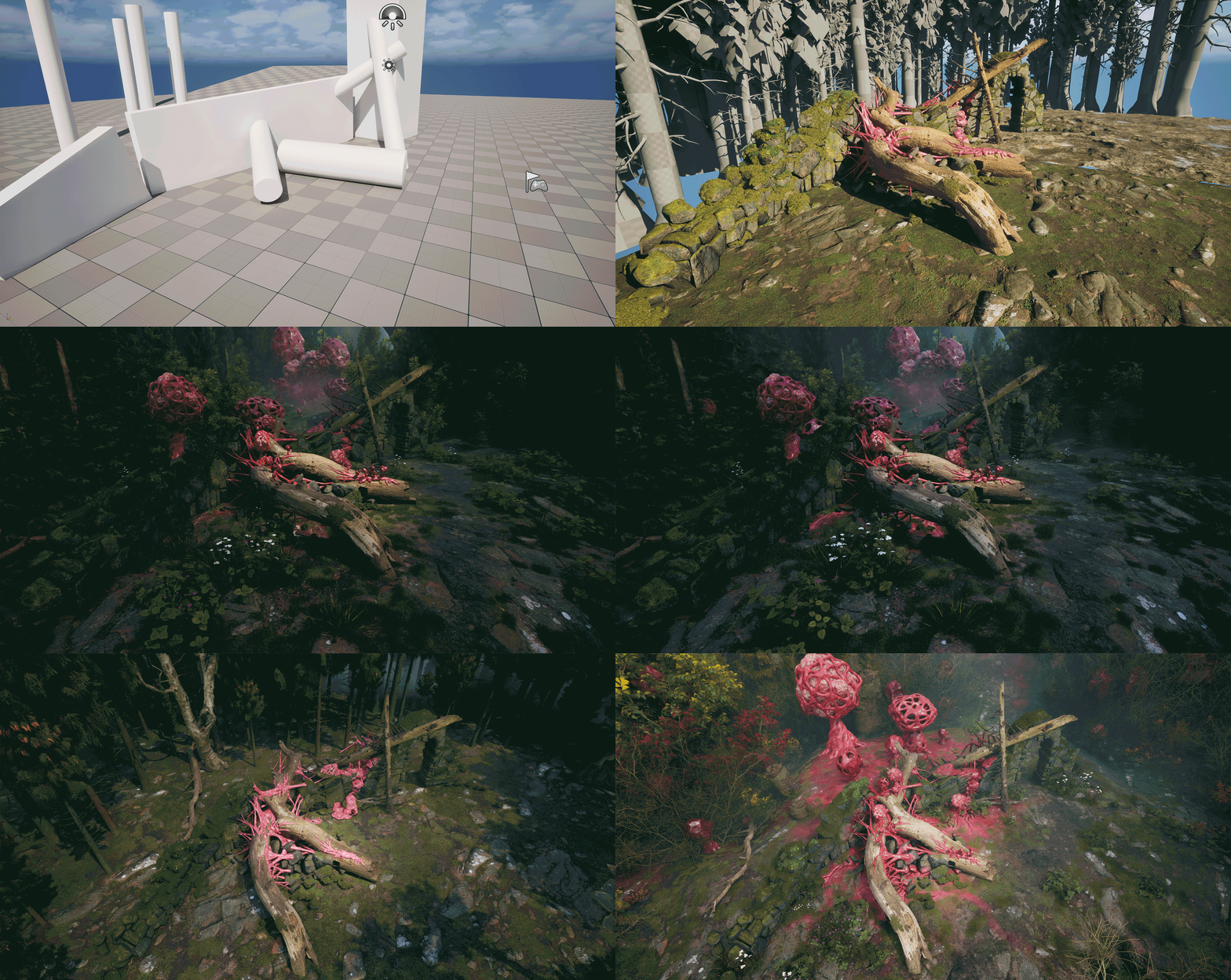
Development Process

Asset Lineup: All Houdini-Created Assets


Reference
Houdini Modeling: Spores, Vines, and Combine them together!
Spore
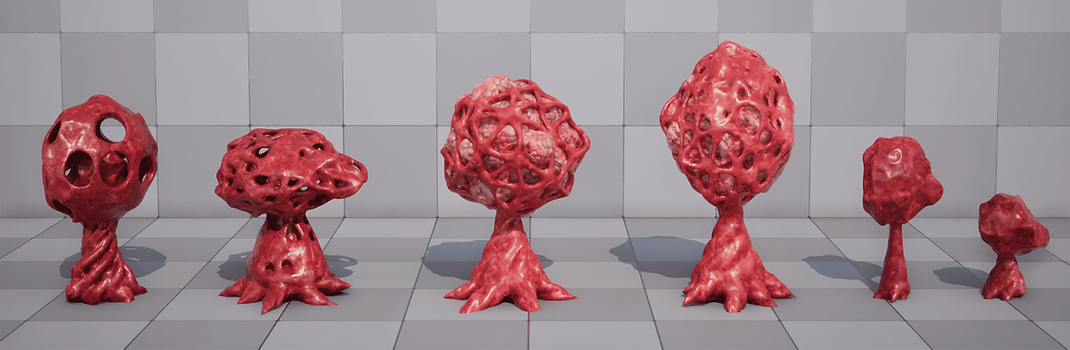
Eww! Spore Lineup!
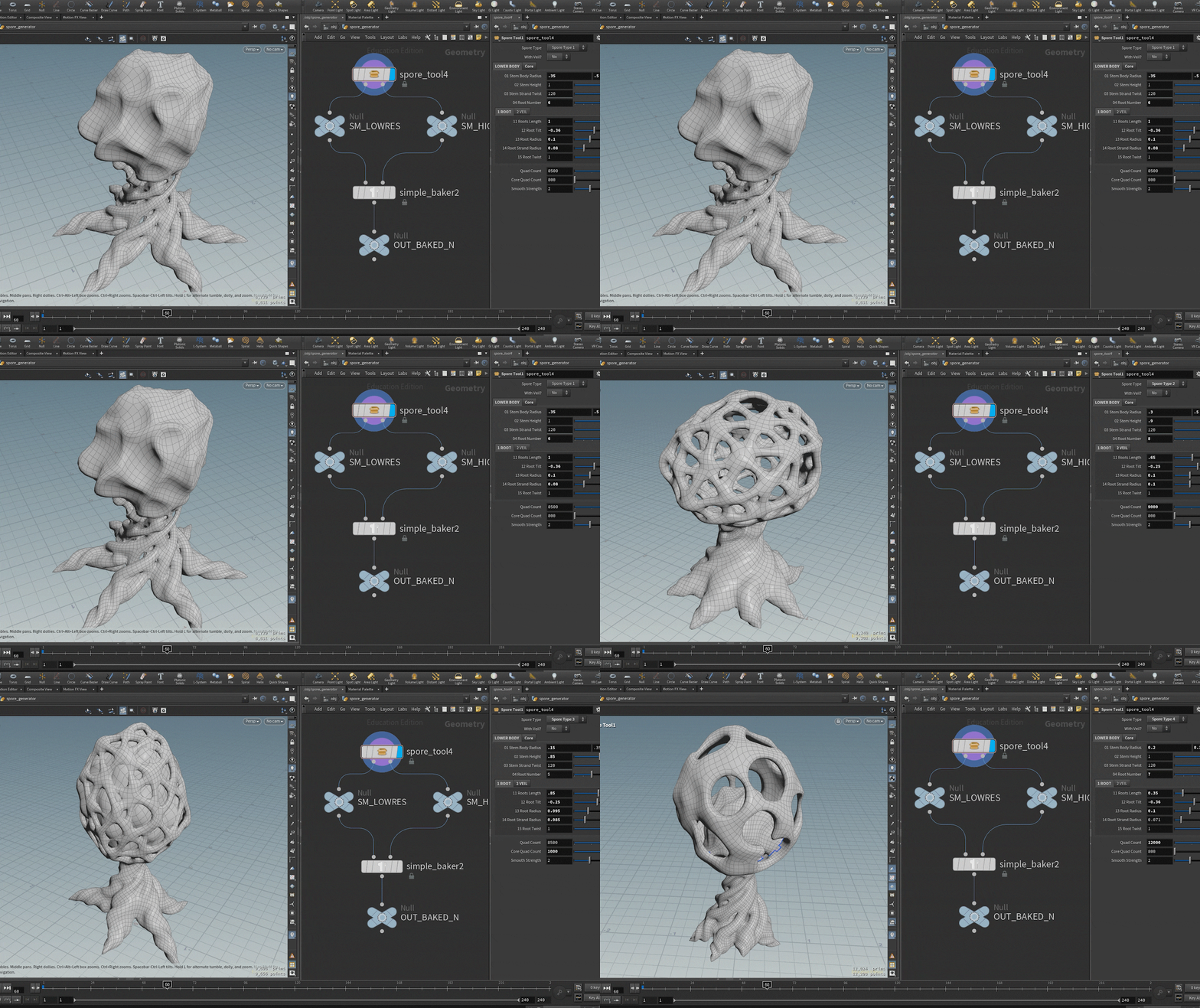

I built an HDA to automatically generate the core, roots, veil, and lattice structures, then combine them into one delightfully gross alien spore.


The HDA generates both high-poly and low-poly meshes, allowing normal maps to be baked and preserving visual fidelity while maintaining a low polygon count.
Mesh-Driven Vine Generation

Vines in the Engine


With the sync function between Houdini and UE 5.7, I sent castle wall meshes with transform data into Houdini and generated fleshy vines procedurally.


Houdini Networks of Procedural Vine Generation and Spore Placement
For spore placement, I first filtered candidate points using a normal-angle threshold of 30 degrees. A painted mask was then used to control both spawn density and pscale values, creating more natural clustering and size variation across the vines. The diagram below illustrates the core logic behind the procedural setup.

Environment Generation with UE5.7 PCG
Landscape × PCG Foliage: Automatically Generating Vegetation From Landscape Height Data

The vegetation in this environment was generated procedurally using UE5.7 PCG and landscape height data.
Manually painting foliage works well for smaller scenes, but it quickly becomes difficult to manage in large environments. Instead, I built a workflow that automatically generates vegetation based on the underlying landscape material data.
Traditional PCG scattering often produces vegetation with little variation and frequently places plants in locations where they do not belong, such as exposed rocks or fleshy organic surfaces. To create a more believable ecosystem, vegetation density should respond to the material composition of the landscape rather than relying solely on random distribution.


Landscape Material Setup: I added a Runtime Virtual Texture (RVT) module to the landscape material to record height information from multiple blended material layers.
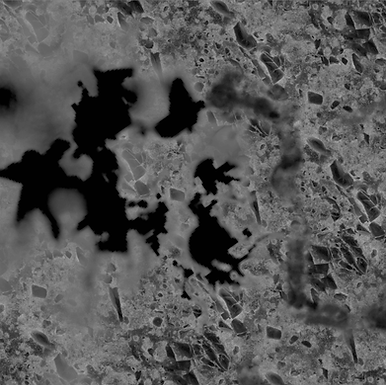
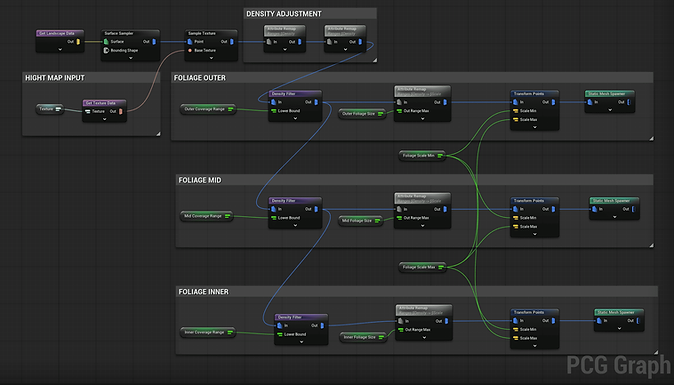
Capturing Blended Height Data: Using RVT with a Scene Capture 2D, I generated a new height map representing the final blended landscape surface.The captured data was then baked into a texture and passed into the PCG graph.


Converting Height Data Into Vegetation Density: Inside the PCG graph, height values were converted into density values that drive vegetation placement.
Different density ranges were then used to spawn different foliage types, creating more natural transitions between moss, grass, shrubs, and other vegetation.
Castle Walls

Castle Walls Lineup!
Moss on Castle Walls
Using only a green top material made the castle walls feel too clean and not abandoned enough. To add more age and overgrowth, I reused a similar scattering workflow from the spore setup to place small plants along the wall tops.